A calmer home base for your teaching day
The Teacher Brain
Your teacher brain, supported.
The Teacher Brain is an everyday app for educators that combines planning support, wellbeing tools, classroom ideas, and a teacher community in one warm, thoughtfully designed space.
- Planning support
- Teacher wellbeing
- Real community
Built for real teacher days—the brilliant, busy, beautifully human kind.
Created with a teacher's real day in mind—from the first bell to the final deep breath.
What it does for you
One app. More room to teach.
Prepare, check in, connect—a loop that fits inside a real school day.
Plan with less friction
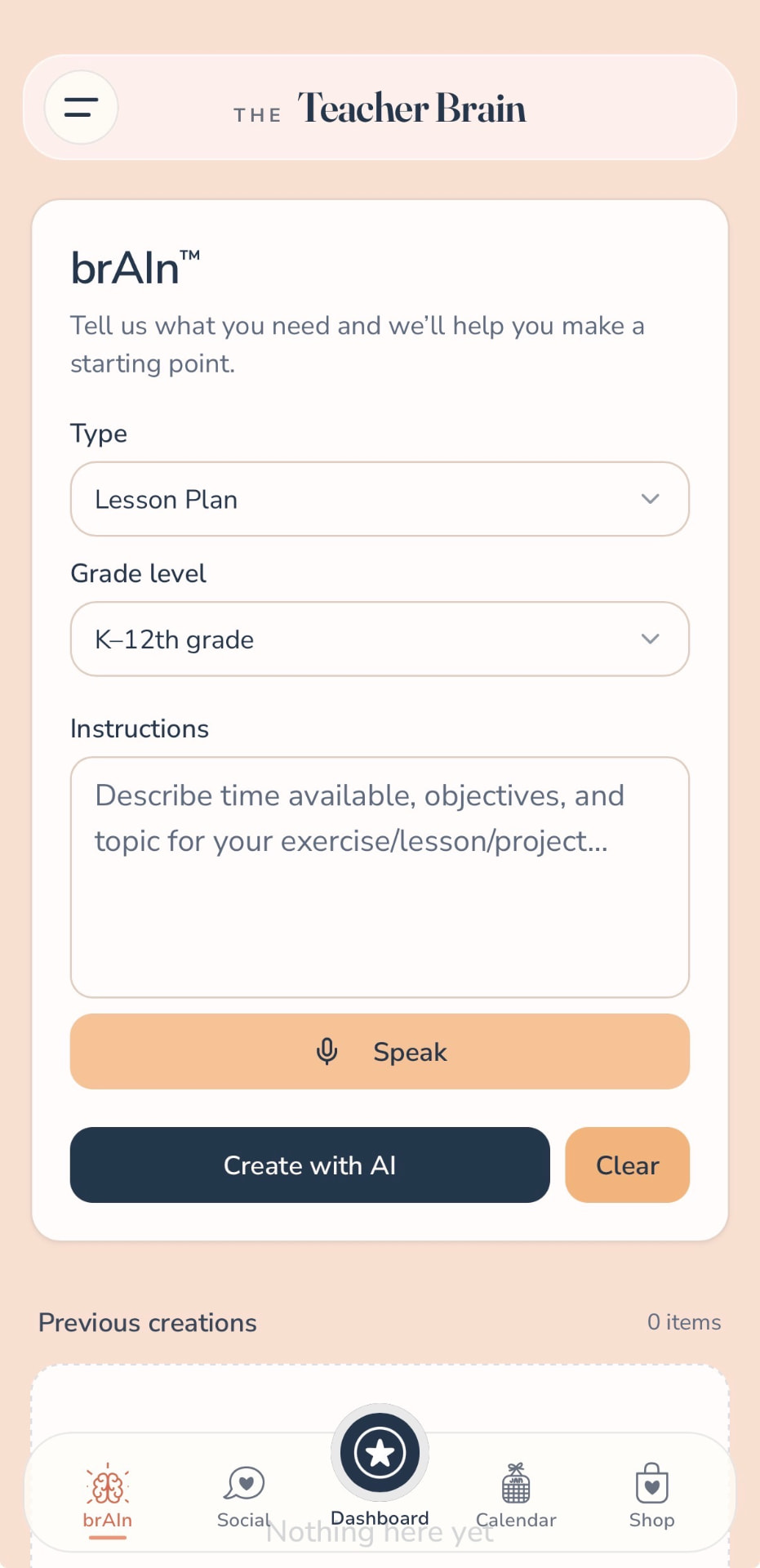
Turn a starting point into something useful with brAIn—whether you need a lesson plan, activity, project idea, or a clearer next step.
Inside the app: brAIn drafts lesson plans, activities and project ideas.
Take care of the person doing the teaching
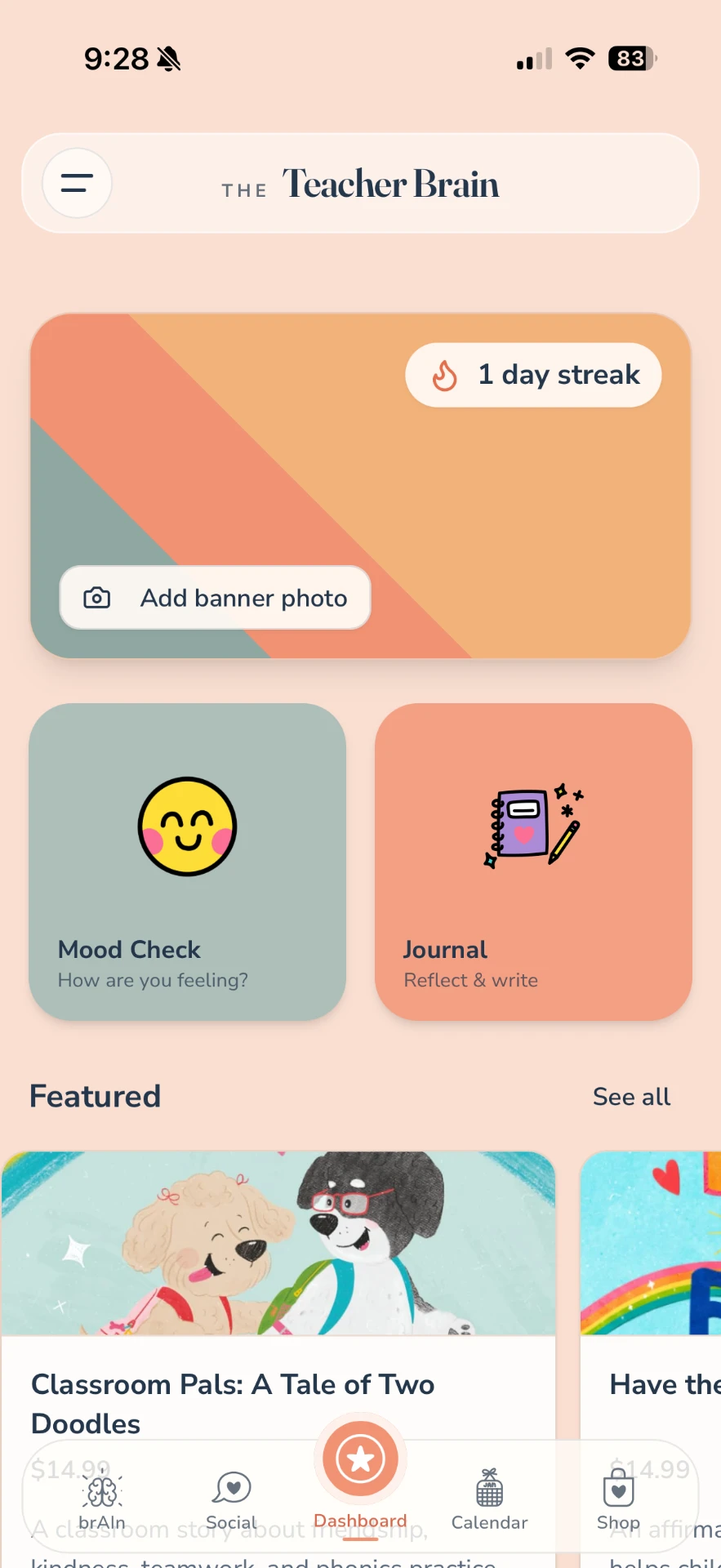
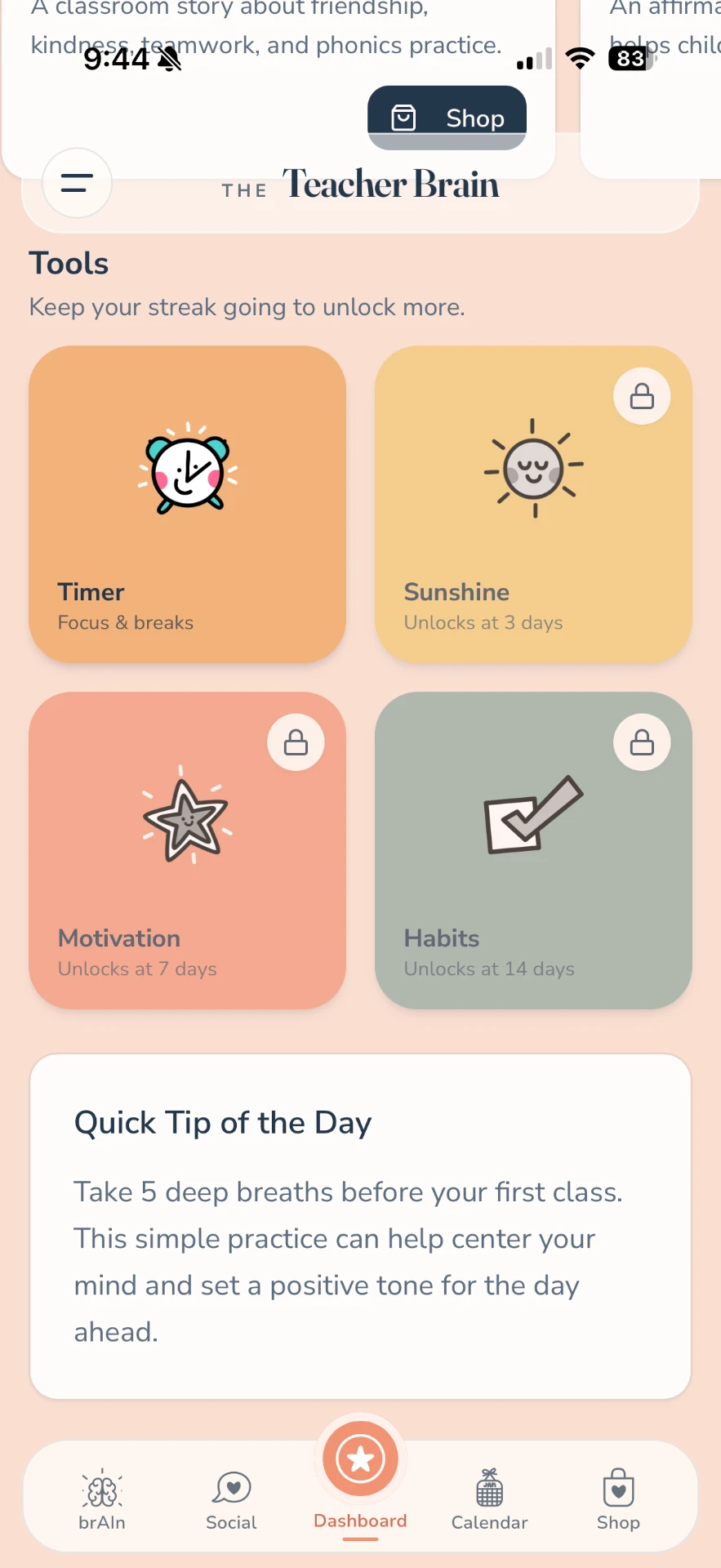
Mood check-ins, journaling, daily tips, focus tools, and gentle streaks help you make space for yourself inside a full day.
Inside the app: Mood Check, Journal, daily tips, focus timer and streaks.
Never teach alone
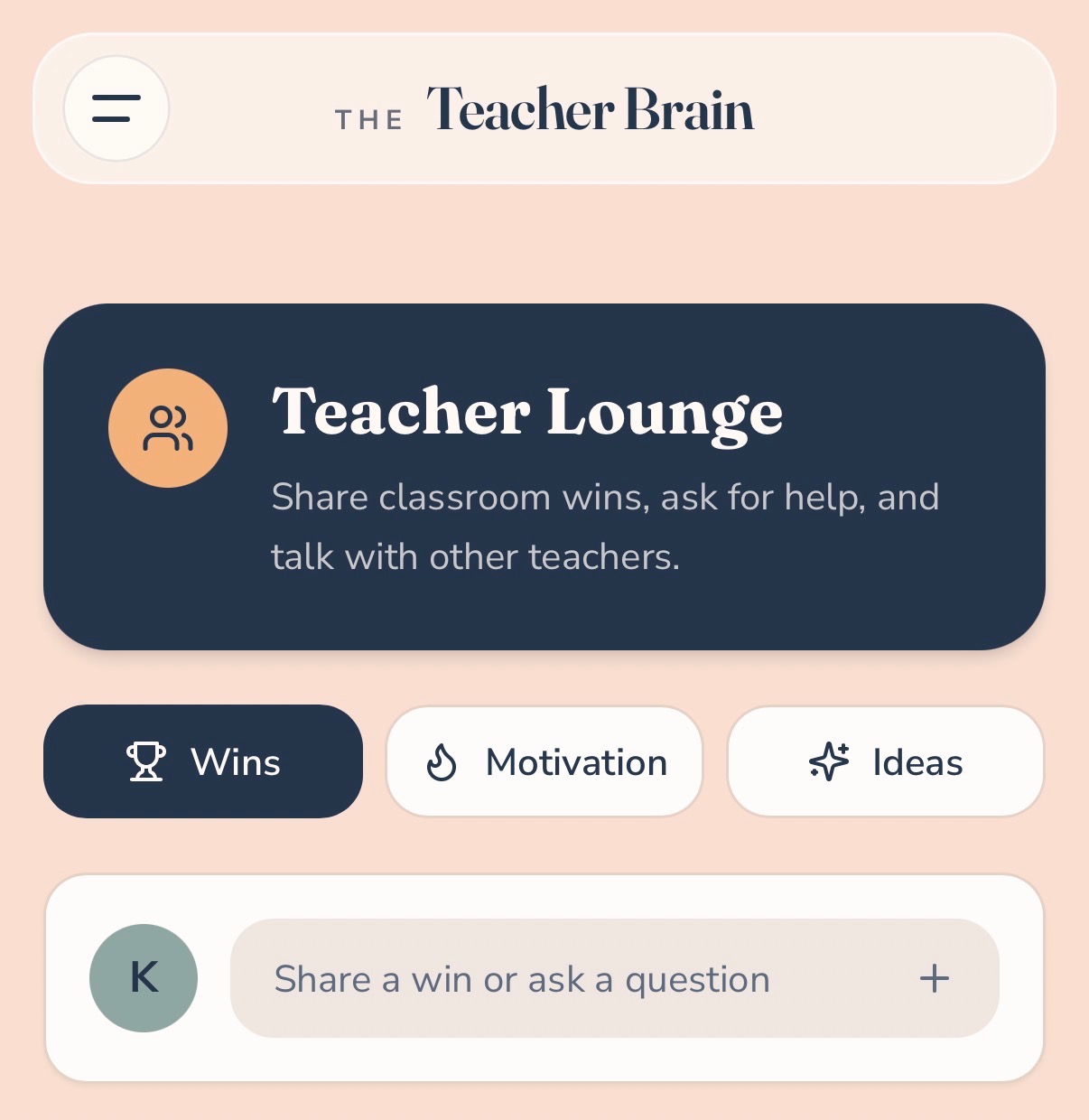
Celebrate wins, swap ideas, ask for help, and connect in a community made for the people who understand the work.
Inside the app: the Teacher Lounge for wins, questions and ideas.
Inside the app
Inside The Teacher Brain
Scroll the four screens — the dashboard, brAIn, the Lounge and your daily tools.
- 01
Your daily dashboard
Begin with a mood check, open your journal, keep a gentle streak going, and discover classroom-ready ideas from one friendly home base.
- Mood Check
- Journal
- Daily streak
- Featured resources
- 02
Meet brAIn
Choose what you need, add your grade level and goals, then create a useful starting point you can shape with your own expertise.
- Lesson plans
- Grade-aware prompts
- Voice input
- Previous creations
- 03
Step into the Teacher Lounge
Share a classroom win, ask a question, find motivation, or trade ideas with teachers who understand the day behind the lesson.
- Wins
- Motivation
- Ideas
- Conversation
- 04
Build supportive rhythms
Use focus timers, quick tips, and unlockable motivation and habit tools to create routines that feel encouraging—not demanding.
- Timer
- Quick tips
- Motivation
- Habits
- 01
Your daily dashboard
Now showingBegin with a mood check, open your journal, keep a gentle streak going, and discover classroom-ready ideas from one friendly home base.
- Mood Check
- Journal
- Daily streak
- Featured resources
- 02
Meet brAIn
Choose what you need, add your grade level and goals, then create a useful starting point you can shape with your own expertise.
- Lesson plans
- Grade-aware prompts
- Voice input
- Previous creations
- 03
Step into the Teacher Lounge
Share a classroom win, ask a question, find motivation, or trade ideas with teachers who understand the day behind the lesson.
- Wins
- Motivation
- Ideas
- Conversation
- 04
Build supportive rhythms
Use focus timers, quick tips, and unlockable motivation and habit tools to create routines that feel encouraging—not demanding.
- Timer
- Quick tips
- Motivation
- Habits
A thoughtful starting point, right when you need one
Less blank-page energy. More teacher energy.
Tell brAIn what you're working on—type, grade level, time available, objectives, and topic—and get a starting point you can review, adapt, and make your own.
Start with context
Give brAIn the details that make an idea useful.
Speak or type
Capture the thought before the next thing pulls you away.
Keep your judgment in the loop
Review and adapt every result for your students and classroom.
AI output is a starting point. Teachers should review content for accuracy, appropriateness, accessibility, and alignment with school policies.
Wellbeing & daily tools
Small tools for the person behind the lesson plan.
The Teacher Brain makes room for reflection, focus, and encouragement without turning self-care into another assignment.
Mood Check
Name how you're arriving.
Journal
Reflect, write, and clear a little space.
Focus Timer
Make room for one task or one break.
Quick Tip
A gentle idea for the day ahead.
Streaks
Celebrate showing up without chasing perfection.
Habits & Motivation
Unlock supportive tools as your rhythm grows.
Community
The teachers' lounge—without the copier jam.
A place to celebrate, ask, share, and remember that a hard day never means you're doing the work alone.
Illustrative prompt from the app
What went better than expected today?
A day with the app
A little support, all day long.
Times are just examples—use what helps, skip what doesn't.
e.g. 7:15 AM
Before the bell
Check in, choose a quick intention, and see your tip for the day.
e.g. mid-morning
Planning period
Give brAIn the context for a lesson, activity, or project starting point.
e.g. between classes
Between moments
Use a timer to focus—or take a real break.
e.g. any time
After a win or a hard moment
Share it in the Teacher Lounge and connect with people who get it.
e.g. after dismissal
When the day is done
Journal, reset, and let tomorrow wait until tomorrow.
Built from inside the classroom
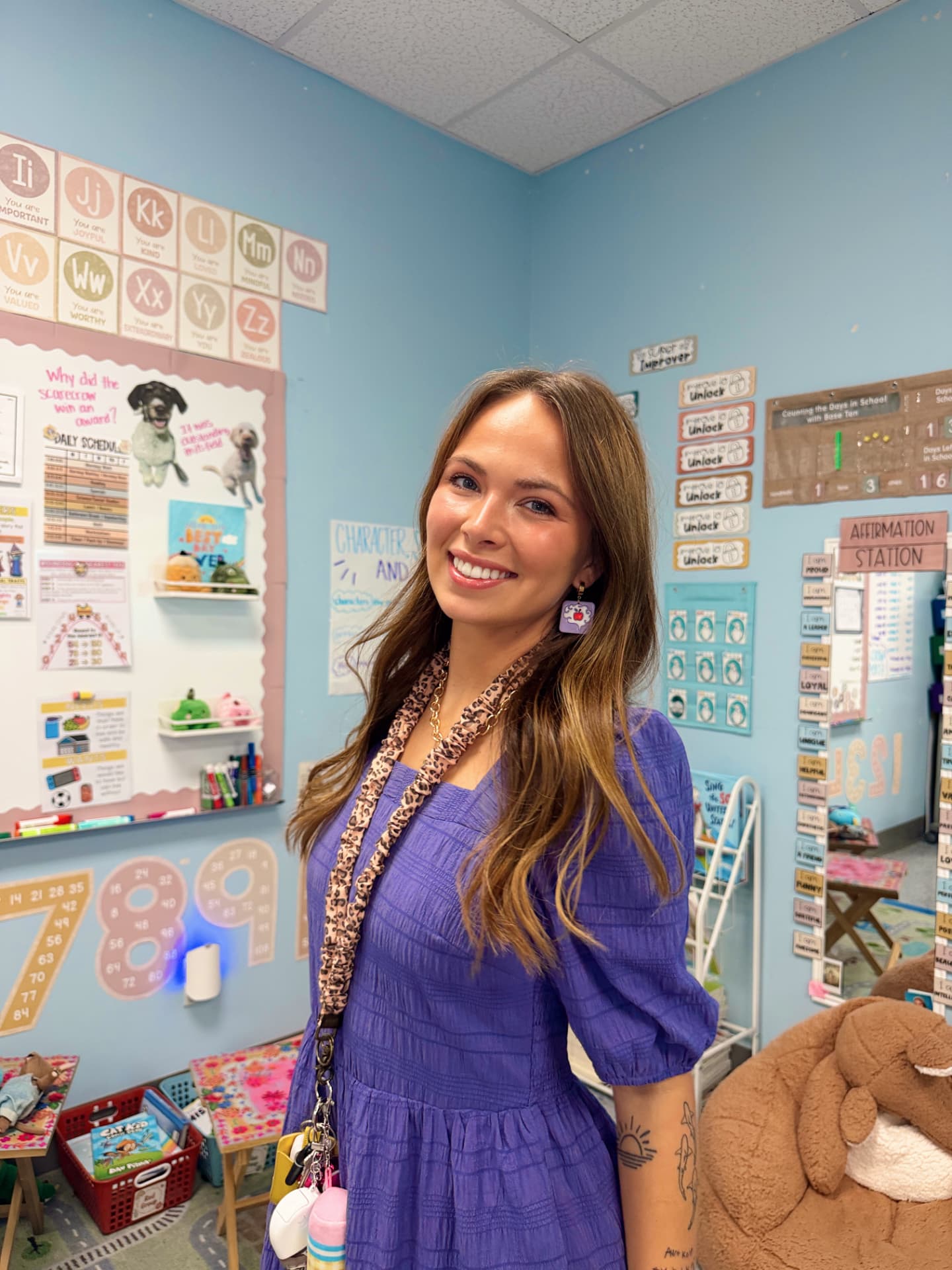
Meet Kaitlyn Biernacki
Second-grade teacher · Creator of My Classroom Diaries
Kaitlyn is a second-grade teacher and the creator behind My Classroom Diaries. She shares the real, colorful rhythm of teacher life—from classroom setup and practical routines to encouragement, creativity, lifestyle, and travel. Her teaching approach centers community, movement, hands-on learning, and engaging, low-prep ideas that help learning feel meaningful and manageable. The Teacher Brain brings that same supportive energy into one everyday home base for educators.
- Teacher-created
- Community-minded
- Joyfully practical
Elsewhere
More from My Classroom Diaries
Classroom ideas, teacher life, fresh resources, longer stories, and encouragement—wherever you like to follow along.
- InstagramClassroom color, teacher life, and everyday inspiration.
- TikTokQuick classroom moments, relatable teacher life, and practical ideas.
- YouTubeClassroom tours, teacher vlogs, routines, and longer-form stories.
- PinterestSaveable classroom inspiration and teacher ideas.
- PodcastListen to My Classroom Diaries.
- Teachers Pay TeachersLow-prep classroom resources from MyClassroomDiaries.
Questions
A few things teachers may be wondering
Your teaching day asks a lot. Your tools should give something back.
Bring planning, reflection, practical support, and teacher connection into one beautifully simple home base.